Phone Tripod Buying Guide Philippines: Fit, Stability and Video Calls
About this guide
The SulitScan editorial team prepares buyer guides using desk-researched product information, primary guidance where available, and practical pre-purchase checks. We do not claim hands-on testing unless an article explicitly says a product was tested.
In this guide
- How we assessed this guide
- Measure the phone with its real accessories
- Choose working height before maximum height
- Treat load and stability as separate checks
- Check orientation, joints, and cable clearance
- Separate the stand from software compatibility
- Prepare the frame and the application materials
- Worked tripod decision
- Phone-tripod checkout checklist
- Limitations and live-policy check
- Affiliate disclosure
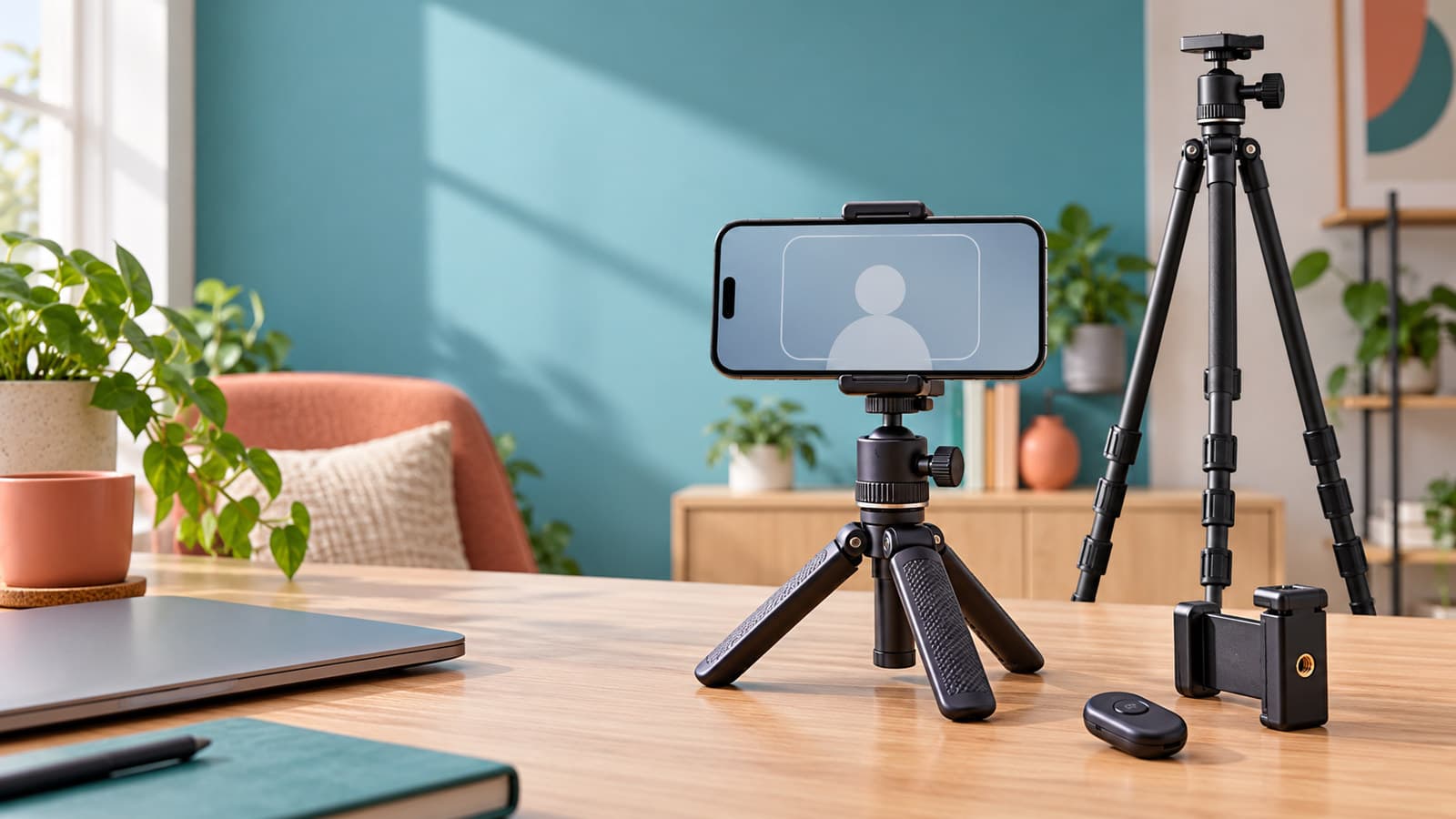
Choose a phone tripod by the phone-and-case dimensions, the framing height you need, the support surface, and the complete mounted load. A tabletop tripod can suit a seated video call, while a full-height design can place the camera independently of the desk; neither format is automatically stable or compatible. Verify the clamp, head, feet, orientation, cable access, and device setup before buying a bundle simply because it includes a remote.
How we assessed this guide
This desk research uses the official Manfrotto PIXI smartphone clamp MCPIXI page and Apple's Continuity Camera setup guidance. The first is a model-specific hardware reference; the second applies to using a compatible iPhone as a Mac webcam. Neither proves the performance of an unrelated marketplace tripod.
Manfrotto specifies that MCPIXI accepts phone widths from 60 to 104 mm and has two quarter-inch attachment points for portrait and landscape mounting. Its page also says it is not compatible with the Compact Action Tripod Kit. That exception is a useful reminder that a “universal” description does not settle every connection.
Apple calls for the mounted iPhone to be stable, near the Mac, locked, and positioned with its rear cameras facing the user without obstruction. It describes landscape orientation for automatic selection by apps, while also allowing portrait use. Those directions are not requirements for all phone video-call apps.
We did not load-test a tripod, measure vibration, pair a remote, or compare camera quality. Our aim is to make compatibility questions explicit before a buyer pays.
Measure the phone with its real accessories
Record the width and thickness with the case you intend to keep attached. Note raised camera surrounds, side buttons, a charging connector, and any cable or microphone adapter. A bare-phone width within a clamp's range does not prove that its jaw shape will clear all these features.
Ask where the pads contact the phone and whether the clamp might press a button. Check whether the product has a stated thickness limit as well as a width range. If a seller only provides a picture of a different phone, request dimensions rather than inferring fit from the image.
For the cited MCPIXI, 60–104 mm is its stated width range, not a promise for every case shape. Check the current manufacturer's information for the exact setup. Our phone-accessories guide can help separate a useful accessory from a bundle extra you will not use.
Choose working height before maximum height
Sit or stand where the call or recording will happen and decide where the camera should be framed. Measure from the support surface to that position. A tabletop tripod starts at desk height; a floor tripod starts at the floor. Their maximum-height numbers therefore do not answer the same question.
Check the minimum working height, not just the tallest extension. A tripod that extends high enough may still be awkward when folded low beside a laptop. Ask whether the height includes the head and phone mount, and whether the quoted figure uses a fully extended centre column.
Also measure the footprint available on the desk or floor. A wide base may conflict with a keyboard, chair movement, walkway, or nearby furniture. Buying a taller design does not remove the need for a clear and usable support area.
Treat load and stability as separate checks
Add up the intended phone, clamp, light, microphone, and other mounted accessories. Compare that configuration with the manufacturer's stated limits for the tripod, head, and any adapter. A rating for one component does not establish the capacity of the entire assembled stack.
Then ask how the load sits. A phone tilted far to one side creates a different arrangement from one centred over the feet. Manufacturer load limits do not tell you whether a particular desk wobbles or a cable can pull the phone sideways. These are setup questions to examine in a controlled pre-call check.
Do not rely on an online photograph of a tall tripod outdoors as evidence of wind stability. Keep equipment away from ledges and traffic, follow the maker's setup instructions, and choose a different arrangement if the mounting position cannot be made secure. This is not a structural or overhead-rigging guide.
Check orientation, joints, and cable clearance
List whether you need portrait, landscape, or both. Look for the actual mechanism that provides each orientation: a rotating clamp, side attachment, or head adjustment. Do not assume that the ball head in a bundle can achieve every angle without moving the phone off centre.
The MCPIXI example shows why attachment location matters: its side and bottom quarter-inch connections provide different mounting options. For another model, confirm the thread and clearance yourself. Similar-looking screws and quick-release plates are not evidence of a compatible interface.
Leave room for the charging lead or wired microphone in the intended orientation. A phone can fit the jaws and still block the connector against the head. Plan a cable route that does not pull on the device when you move your chair or reach for the keyboard.
Separate the stand from software compatibility
A mechanical clamp does not enable a webcam feature. If you plan to use Continuity Camera, check Apple's current iPhone, Mac, operating-system, account, and connection requirements before buying hardware for that purpose. The cited support page is the relevant starting point, not a tripod seller's generic “works with iPhone” claim.
For a call made directly on the phone, check the app's camera, microphone, and orientation settings. A Bluetooth shutter remote may be intended for taking photos and may not control the call app you use. Confirm the exact supported behaviour instead of treating the remote as a universal start-and-stop button.
Before an important call, use the same device, app, network, microphone, orientation, and charging arrangement you intend to use later. A rehearsal can expose setup issues; it does not guarantee a connection or recording outcome.
Prepare the frame and the application materials
For an online interview, arrange the device early enough to review the frame, background, light, and microphone selection. Keep the information you need within easy reach without covering the camera or repeatedly disturbing the stand. Confirm the meeting instructions and avoid testing a new mount for the first time after the call begins.
Prepare your application materials before an online interview; ApplyReadyCV, our sister site, can be part of that document-preparation workflow. Keep your CV and relevant notes ready before concentrating on the camera setup. This is a preparation resource, not a promise of hiring, interview success, or any advantage from buying a tripod.
If a laptop camera already produces a workable frame, a new stand may not be necessary. The useful decision is whether the proposed purchase solves a specific placement problem, not whether a more elaborate desk appears more professional.
Worked tripod decision
Imagine a buyer with a compact desk and a thick-cased phone. A tabletop model appears convenient, but its clamp lists width only and the phone's charging port would sit close to the head. A full-height alternative offers more placement freedom but spreads its feet into the chair path.
The buyer should first ask for the missing clamp-depth and cable-clearance details. Then measure a realistic desk or floor footprint and check the height in the intended orientation. If neither configuration has a safe, unobstructed location, revise the setup rather than choose on bundle size.
Compare current totals only after those checks. Use the tech category and Shopee PH store guide as research routes, not an active matching product claim. The cheapest candidate that cannot fit or be placed sensibly has not solved the problem.
Phone-tripod checkout checklist
- Measure the phone and intended case, including camera and button clearance.
- Confirm clamp width, depth, and exact attachment compatibility.
- Compare working height and footprint for the chosen surface.
- Check every component's stated limits for the complete mounted load.
- Verify portrait, landscape, and connector clearance.
- Confirm app, device, operating-system, and remote-control compatibility separately.
- Read the current missing-part, fault, and return process.
- Inspect and rehearse the complete setup before relying on it.
Limitations and live-policy check
This article belongs to the October 3 release and its references were rechecked during preparation. Accessory revisions, bundle contents, software requirements, and retailer terms may change. The exact manufacturer instructions and current support documentation take precedence over broad seller claims.
SulitScan cannot guarantee fit, stability, image quality, remote pairing, or video-call performance. We have not inspected the reader's support surface or a delivered unit. Stop if a connection, mounting position, or load requirement remains unclear.
Affiliate disclosure
SulitScan may earn a commission through eligible store links at no extra cost to you. Affiliate relationships do not influence this assessment. The application-materials link is contextual and does not make the hardware more suitable. Read the affiliate disclosure before continuing to partner stores.
Frequently asked questions
Does a universal phone clamp fit every phone and case?
No. Check width, thickness, jaw shape, buttons, camera clearance, and connectors with the intended case fitted. A stated width range is only one part of compatibility.
Is a tabletop tripod enough for video calls?
It may be if its working height, footprint, clamp, and complete load suit your desk and framing. A floor model may solve a placement problem, but neither format guarantees stability.
Will a tripod enable iPhone Continuity Camera?
No. The stand provides a mechanical mounting option. Check Apple's current device, operating-system, account, and connection requirements separately, then rehearse the actual app setup.
Tags
Get weekly sulit finds in your inbox
Shopping tips, price-check reminders, and the best deals, free.
More shopping guides

Explore SulitScan